When a founder asks me about AI agent development cost, they usually want one number. I understand why. But the number depends on five things that are specific to the work you want the agent to do, and most of them are settled before anyone writes a prompt. This post walks through those five drivers, shows what other development firms publish as price ranges, and covers how to bring the cost down before you build. It is written from the way we scope custom AI agents for business: a free discovery call first, then a fixed quote.
One note before we start. We don’t publish a price or a timeline for AI work. Every project gets its own fixed quote after a free discovery call, before we build. The reason is in the drivers below. Two agents that sound alike on a call can differ a lot once you look at the data and the tools behind them.
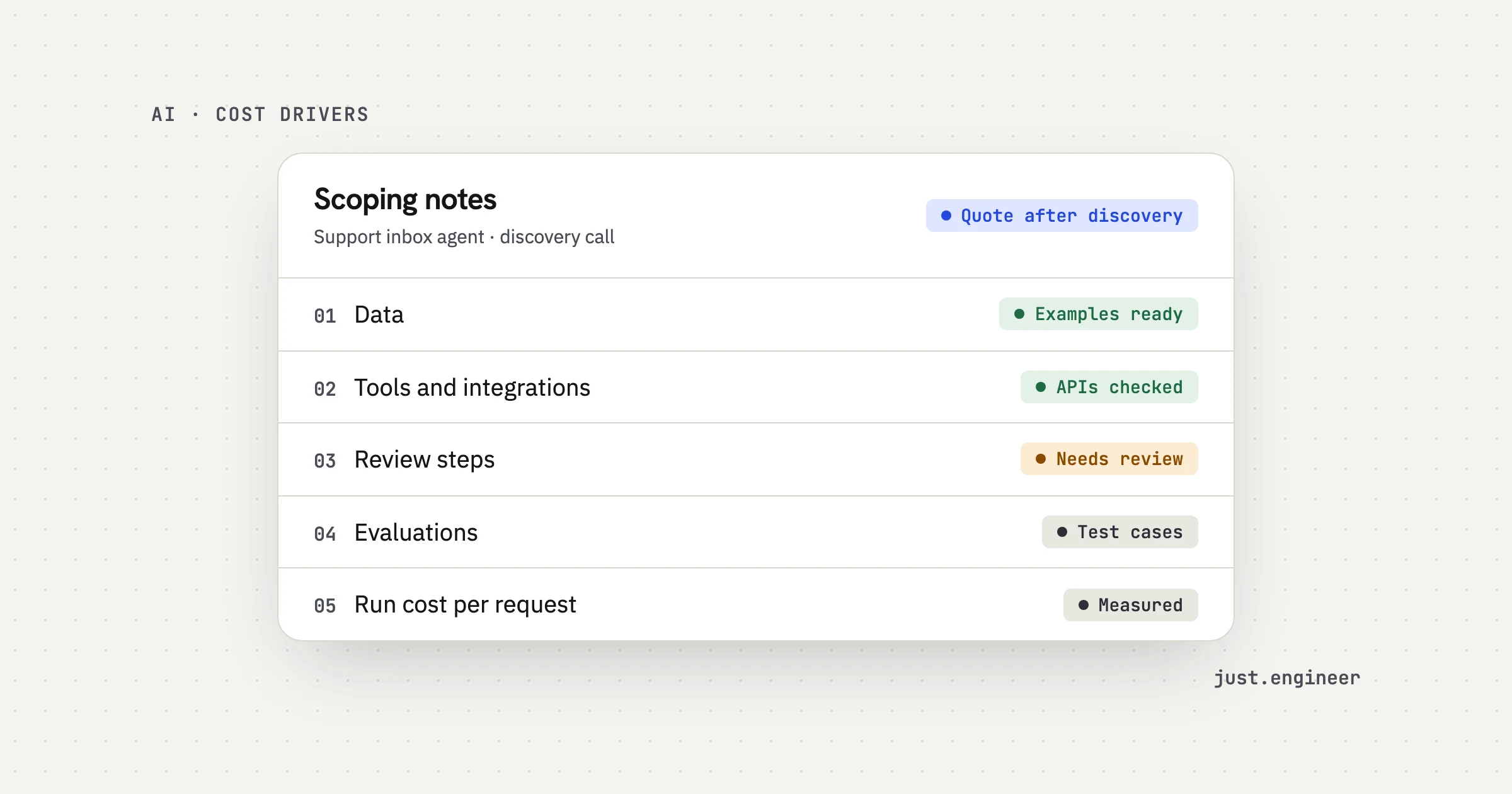
AI agent development cost: the five cost drivers
An agent reads something, decides what to do and does it inside the tools your team already uses. A support agent reads a ticket, looks up the order and drafts a reply. Each of those steps touches one of the five drivers.
1. Data
The agent works on text, documents or data. The first question is what those inputs look like. Emails written in one language, from one form, in one format are easy to read reliably. Scanned PDFs, attachments in five layouts and messages that mix three requests in one are not. The messier the inputs, the more work goes into reading them correctly and the more cases you need to test.
The second question is whether there are real examples to learn from and test against. On our discovery calls we look at real examples and check the data and tools before anything is quoted. If the data can’t be shared, or doesn’t exist yet, the work is not a fit for an agent today, and we say so.
2. Tools and integrations
Every system the agent reads from or writes to is an integration: the inbox, the CRM, the helpdesk, a spreadsheet, a database. A system with a clean API is cheaper to connect than one without. Reading is cheaper than writing, because a write needs error handling, retries and a way to undo. Each extra tool is also one more place where something can change and break later.
Access matters too. Our agents get only the permissions their job needs.
3. Review steps
This is the driver people forget to price. Our agents ship with a review step. You decide which actions run alone and which wait for a person. Anything involving money, deletion or customers can wait for approval, and every step is logged.
A review step is real software. Someone needs a queue to see what is waiting, a way to approve, edit or reject it, and a log that shows what the agent did and why. The more action types that need approval, and the more people who approve them, the more there is to build.
4. Evaluations
An evaluation set is a group of real cases with known right answers. The agent runs against it on every change, and you get a score. Building one takes time: collecting the cases, agreeing what “correct” means for each, and writing the checks that score the output.
We build with evaluations. You see weekly demos on your real cases, and the agent is tested against a set of examples. You own the code, the prompts and the evaluation sets, so the tests stay with you if the team changes.
5. Run cost per request
The build is one cost. Every request the agent handles has its own cost: model calls, tool calls, and often several of each for a single item. Your monthly bill is roughly the number of requests multiplied by the cost of each one.
Model choice moves this number the most. We pick the model per task, balancing quality, speed and cost, and build so it can be swapped later as better or cheaper models arrive. AI services run on accounts you own, so the bill comes to you directly. For AI features we add to an existing app, cost per request is estimated in the proposal and tracked from the first version. For agents, it shows up on the quality and cost dashboards after launch.
Here is the short version of all five:
| Driver | What raises the cost | What lowers it |
|---|---|---|
| Data | Scanned files, mixed formats, no examples | One clear input type, real examples ready |
| Tools and integrations | Many systems, writes without an API | Few systems, clean APIs, read before write |
| Review steps | Many action types that need approval | A clear line between what runs alone and what waits |
| Evaluations | No agreed answer for what is correct | A set of real cases with known right answers |
| Run cost per request | Several large model calls per item, high volume | A model picked for the task, calls kept short |
What other vendors publish
Several development firms publish price ranges for AI agents. The figures below are vendor-published, they describe each firm’s own projects and definitions, and none of them is our price. I opened each page to check the numbers.
- RaftLabs (vendor-published, December 2025): a single-workflow agent at $15,000–$40,000, a production agent with 3–5 integrations, memory and monitoring at $80,000–$200,000, and a multi-agent system at $150,000–$400,000.
- SolGuruz (vendor-published, September 2026): an agent that only recommends at $5,000–$10,000, one with human approval before it acts at $10,000–$15,000, and one that acts on its own at $15,000–$20,000.
- Sparkout Tech (vendor-published, October 2026): $25,000 to $150,000 for a structured MVP, and $300,000 for a full enterprise-grade deployment.
- Biz4Group (vendor-published, updated August 2026): $20,000 to $60,000 for most custom business agents.
Two things stand out. The first is the spread. The same phrase, “an AI agent”, covers work priced anywhere from a few thousand dollars to several hundred thousand, which tells you the label says very little about the job.
The second is that the tiers don’t line up. One firm prices by autonomy: whether the agent only recommends, waits for approval or acts alone. Another prices by the number of integrations and whether there is monitoring. A third prices by stage, from MVP to enterprise. They are all describing the same five drivers from different angles. Data, tools, review, evaluations and run cost are what move a project from one tier to the next.
So when you compare quotes, compare scope, not totals. Ask each vendor which systems they will connect, which actions wait for a person, how the agent will be tested before launch, and what one request will cost to run. A low quote that leaves out the review step or the evaluations is not cheaper. It has moved that cost to after launch.
How to lower the cost before you build
Most of the cost is decided by what you choose to automate and how. These steps bring it down without cutting the parts that keep the agent safe:
- Pick one process that happens often. Daily or weekly work gives you enough volume to justify the build and enough cases to test with.
- Collect real examples now. A few dozen real inputs, with what a person did with each, are worth more than a long requirements document.
- Start with drafts, not actions. An agent that drafts a reply for a person to send needs fewer write integrations and fewer approvals than one that sends it.
- Connect only the tools the job needs. Every extra system adds build work and one more thing to maintain.
- Agree what “correct” means. Write down how you will measure success before the build starts.
- Estimate your volume. Know roughly how many items a day the agent will handle, so run cost can be estimated on real numbers.
- Leave rare cases to people. Work that happens a few times a year is not worth automating.
There are two things I would not cut, and this is the part I feel most strongly about. The review step and the evaluations cost more to skip than to build.
Here is my reasoning. Without a review step, the first time the agent gets something wrong with money or a customer, you find out from the customer. Then you build the review step anyway, after the damage. Without evaluations, every change is a guess. A new prompt or a cheaper model might fix one case and quietly break ten others, and the only way to know is to test by hand, every time, for as long as the agent runs. That manual testing never ends. An evaluation set is built once and keeps paying back on every change after it.
Both also make the rest of the work cheaper. The review step lets you launch with more actions held for a person and release them one at a time as the agent proves itself. The evaluation set makes it safe to switch to a cheaper model, which is often the largest lever on run cost.
How we scope it
It starts with a free 30-minute discovery call. The engineers on that call are the people who would build it. We map the process, look at real examples, and check the data and tools. If you need an NDA, we sign it before the first call.
Next comes a scoped proposal. It says what the AI will do, where a person reviews it, how success is measured, and gives you a fixed quote. There is no hourly billing.
Then we build with evaluations. You see weekly demos on your real cases, and the agent is tested against a set of examples. We use business API plans whose terms exclude training on your data.
Last, we launch and monitor, with dashboards for quality and cost and human review where it matters.
Not every process should be an agent. High-stakes decisions where nobody can review the output are not a fit. If an agent is the wrong shape for your problem, our wider AI services also cover automation, chatbots and AI features inside an existing app. If the agent is part of a new app, AI features are scoped and quoted separately from the package, then built into the same weekly demos (what our MVP package includes).
If you have a process that happens every day, runs on text or documents, and a person reviews it today, bring a few real examples to a call.
Questions people ask
How much does AI agent development cost?
What makes an AI agent expensive to build?
How much does an AI agent cost to run?
Do I need evaluations for an AI agent?
Can I see a price for an AI agent before a call?